914Show WordPress Theme Menu
$l = get_nav_menu_locations();
$m = wp_get_nav_menu_items($l['footer-menu']);
foreach($m as $i) {
// $i->url;
// $i->title;
}
$l = get_nav_menu_locations();
$m = wp_get_nav_menu_items($l['footer-menu']);
foreach($m as $i) {
// $i->url;
// $i->title;
}
// update_option('siteurl','http://127.0.0.1/my-site');
// update_option('home','http://127.0.0.1/my-site');
// add excerpts to pages add_post_type_support('page', 'excerpt');
// remove auto-p in blog content remove_filter('the_content', 'wpautop');
// replace \n with <br />
// substitute
for line breaks in the content
function addLineBreaks($content) {
return str_replace("\n", "\n<br />", $content);
}
add_filter('the_content', 'addLineBreaks');
// register menu function register_theme_menu() { register_nav_menu('footer-menu', 'Footer Menu'); } add_action('init', 'register_theme_menu');
functions.php
function register_theme_menu() {
register_nav_menu('my-menu', 'My Menu');
}
add_action( 'init', 'register_theme_menu' );
Menu Location
$l = get_nav_menu_locations();
$m = wp_get_nav_menu_items($l['my-menu']);
foreach($m as $i) {
// custom HTML
echo $i->url;
echo $i->title;
}
Atom is great, current, hackable and my current go-to editor, but from time-to-time it does like to open a certain directory. It keeps timing out, restarts of the Editor or the Computer don't help.
Clearing the window state helps.
atom --clear-window-state
Single-page Applications (SPA) make with Vue or React can take advantage of HTML5's History Mode, where the URL in the browser window is changing - but all the changes are happening in the client. This works great, if the user only follows the links, but it breaks when the user wants to reload the page or goes to and unknown (404) page. The server kicks on and gives you a 404.
There are ways to deal with this, vue-router has a list: https://router.vuejs.org/en/essentials/history-mode.html
Basically, what's happening: rewrite all requests to index.html - the entry point of your SPA. We will also have to deal with 404 on the client side, but that's also described above. Origin -> Origins Path to path in S3. No need to adjust index and error paths in S3

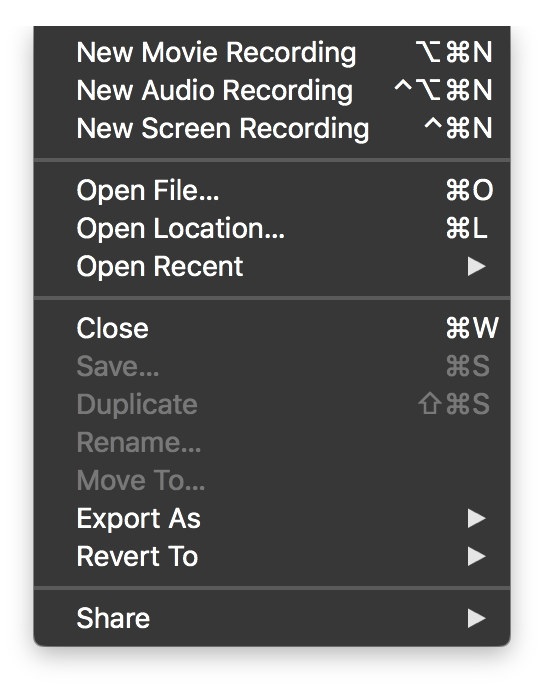
QuickTime Player Version can record movies. If the recording process in interrupted by battery running out, or the computer being closed and put to sleep, the video file is store at the following location:
~/Library/Containers/com.apple.QuickTimePlayerX/Data
QuickTime Player Version: 10.4
if ($wp_query->is_posts_page) {
$id = $wp_query->queried_object->ID;
}
I encountered a situation where my dev MySQL was 5.6 and running with a utf8mb4_unicode_ci Server Connection Collation, and the remote MySQL with 5.5 and a utf8mb4_general_ci collation.
Needless to say, the remote DB did not like the dumps from my dev DB.
Quick and Dirty Solution:
replace('utf8mb4_unicode_520_ci', 'utf8mb4_general_ci')
replace('utf8mb4_unicode_ci', 'utf8mb4_general_ci')
.standard-underline {
text-decoration: underline;
}
.bottom-border {
border-bottom: 2px solid red;
}
.box-shadow {
box-shadow: inset 0px -3px 0 #72caff;
}
.box-shadow {
padding-bottom: 2px;
box-shadow: inset 2px -2px 0 yellow;
}
Appending .command to a text file in OSX executes it on double click.
my-file.txt content
wget https://wordpress.org/latest.tar.gz
rename
my-file.txt → my-file.command